Financial notes in the Online Customer Account (OCA)
May 15, 2025
#archived

As a reminder, by logging into your Online Customer Account (OCA) you can easily and quickly check the financial note (debit note) issued and the history of notes from previous billing periods.
How do I log into my Online Customer Account?
Select a login method and confirm your identity
You can check the details in the published materials in the User Panel under Instructions and instructional videos.
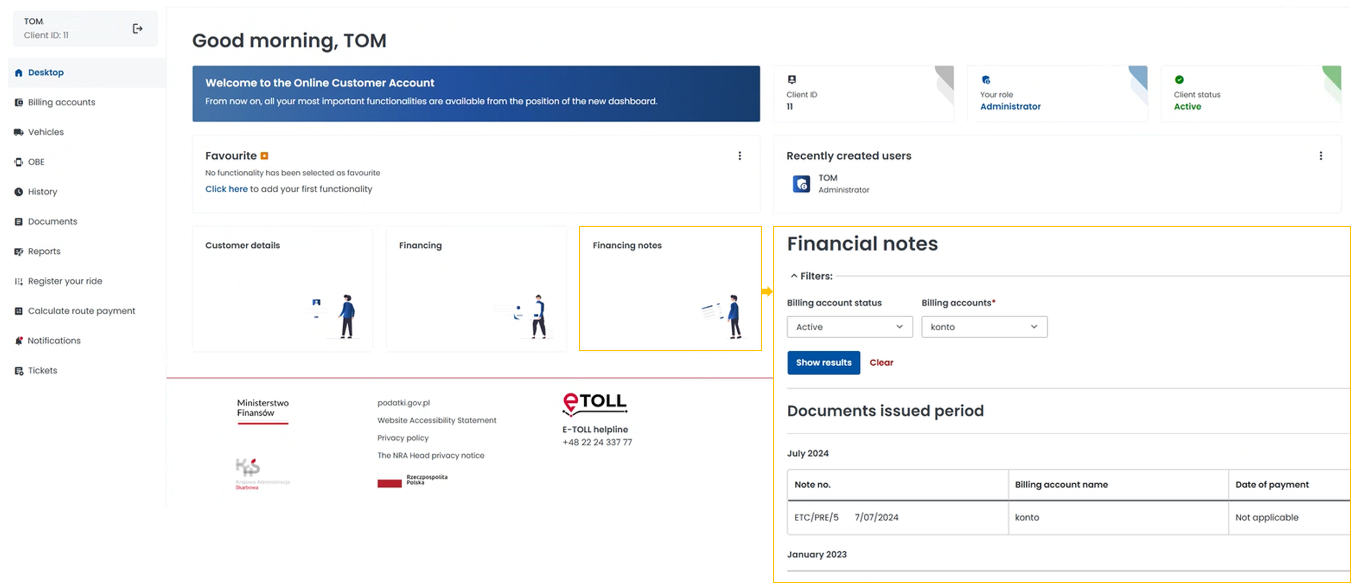
Where can you find your financial note?
in the OCA main panel:
in the billing account tab:
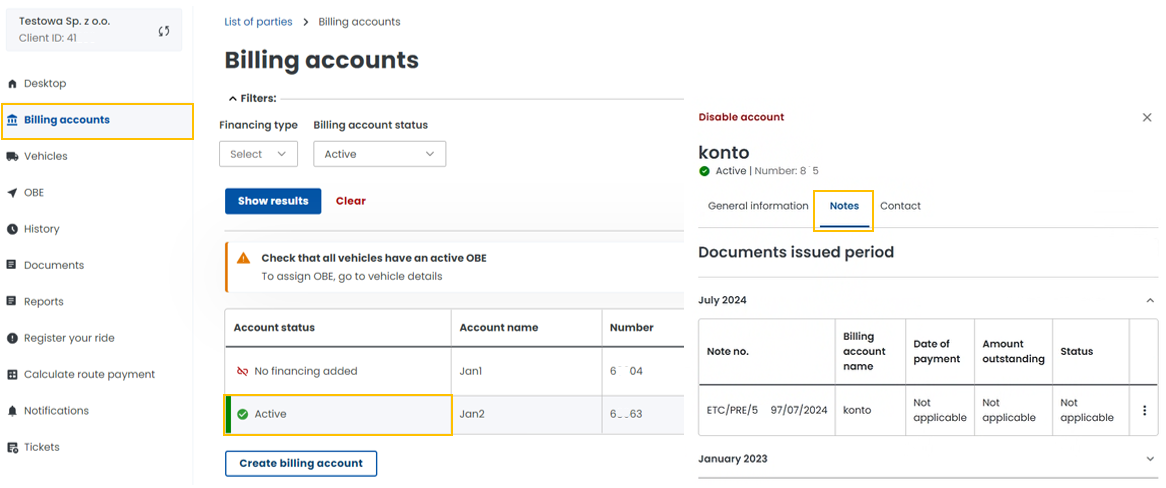
Remember that you have a duty to regularly check the shared documents. This is important for correct settlement in the e-TOLL system.
Use online services by logging into OCA
Get many things done online, without leaving your home:
edit details,
manage billing accounts, vehicles, equipment,
check transit and financial transaction history,
report technical problems.
You will find the information you need in the User Panel under Take care of your matters in OCA.